Last Updated: 1 month ago | John Miller
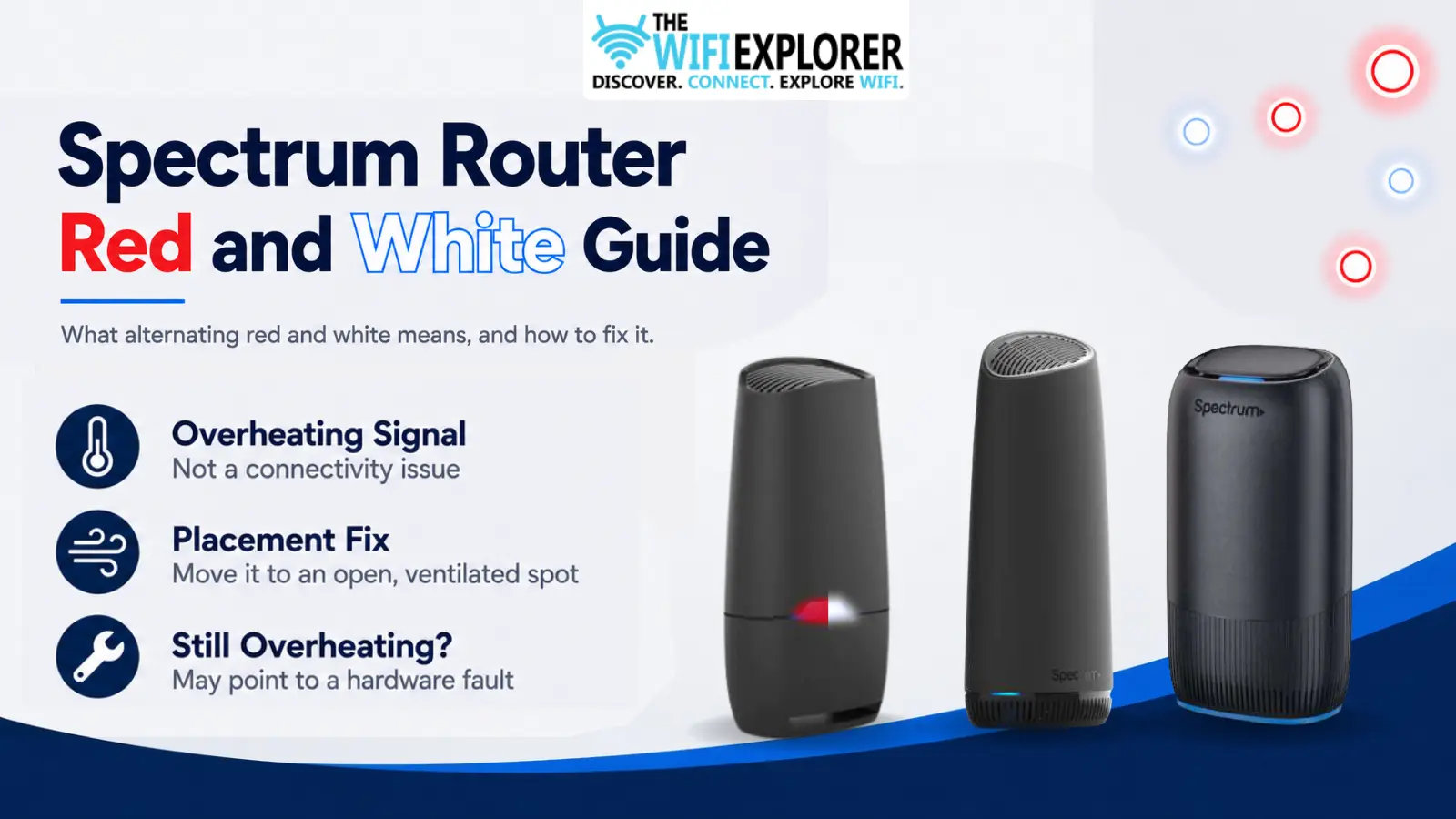
Most Spectrum light problems are about connectivity. This one isn’t.
If you’ve spotted red and white alternating on your router, it’s not telling you the internet is down; it’s telling you the hardware itself is running hotter than it should.
I mentioned this briefly in the general Spectrum lights guide, but it’s easy to misread this pattern as a connection issue if you don’t already know what it represents, so it’s worth its own explanation.
Key Takeaways
- Red and white alternating means overheating, not a lost internet connection.
- This pattern has been documented specifically on the Wi-Fi 6 router. If you’re on a different model and seeing something similar, confirm the exact colors before assuming it’s the same issue.
- Poor placement, usually an enclosed cabinet or a spot with no airflow, is the most common cause.
- Resetting the router won’t fix overheating. Moving it will.
- Persistent overheating even after relocating the router can point to a hardware fault worth flagging to Spectrum.
Quick Reference: Overheating Signs and What to Do
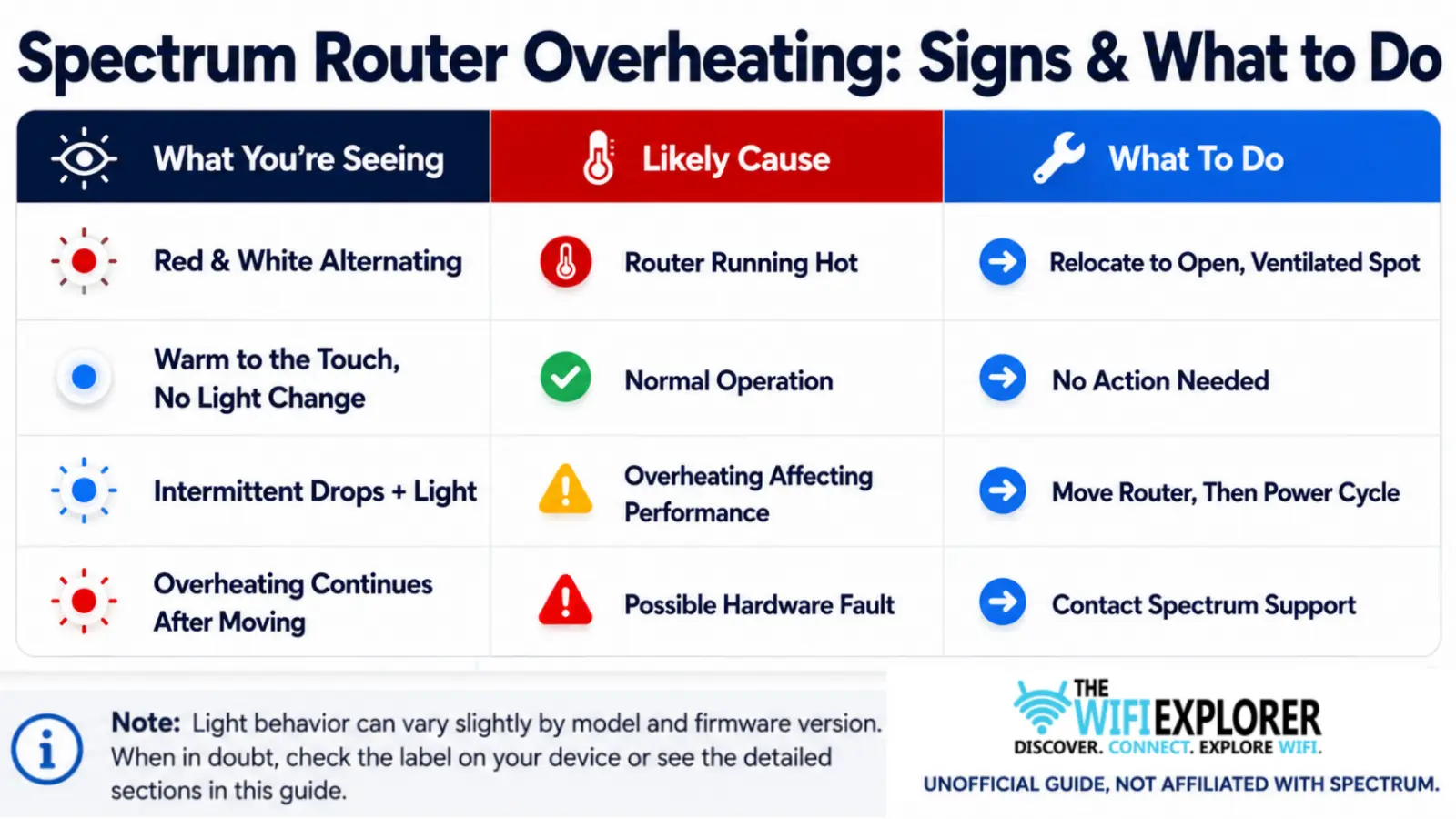
Spectrum Router Red and White Light
A red and white alternating light on a Spectrum router is a temperature warning. In plain terms, it’s a Spectrum router overheating light, not a connectivity signal, so the usual “check my internet” instinct doesn’t really apply here the way it does with red or blue.
Unlike solid or pulsing red, which usually points to a connectivity problem, this specific pattern means the device itself has gotten too hot, most often because it’s tucked somewhere without enough airflow.
It’s a distinct, one-time-you-need-to-know signal, and once you recognize it, the fix has almost nothing to do with cables or outages and everything to do with where the router physically sits.
Why It Happens
- The router’s placed inside a closed cabinet, media console, or closet with no ventilation
- It’s sitting close to other heat-generating electronics, like a modem, gaming console, or amplifier
- Dust has built up around the vents, restricting airflow
- The room itself runs warm, especially during summer months without air conditioning nearby
- In rarer cases, an internal hardware issue is causing it to run hot regardless of placement
Is This the Same on Every Spectrum Router?
Not necessarily, and this is worth being upfront about. This specific red-and-white pattern has been documented on the Wi-Fi 6 router.
If you’re running a Wi-Fi 6E or Wi-Fi 7 router and trying to pin down the exact Spectrum router red-and-white blinking meaning for your model, don’t assume it’s automatically the same overheating signal; colors and patterns aren’t identical across Spectrum’s hardware generations, as covered in the full lights guide.
If you’re not certain what you’re looking at, treat overheating as a strong possibility, since heat issues affect all router hardware regardless of generation, but confirm against your specific model’s documentation if you can.
Spectrum Router Overheating Fix: Step by Step
Move it to an open spot. This solves the vast majority of overheating cases. Central, elevated, away from walls on at least two sides, and never inside a cabinet or closet.
Check for nearby heat sources. If the router’s sitting right next to a modem, game console, or anything else that runs warm, give it some distance.
Clean the vents. Dust buildup around the intake and exhaust vents restricts airflow more than people expect. A quick wipe-down or a can of compressed air can help.
Let it cool, then power cycle. Once relocated, give the router a few minutes to cool down before restarting it, rather than immediately power cycling it in the same hot spot.
Watch for recurrence. If the red and white pattern shows up again after relocating and cleaning, and the room isn’t unusually warm, that points toward a hardware issue rather than a placement problem.
General Troubleshooting Tips
- Placement matters more here than with any other light state. Central, open, and ventilated, this single change fixes most cases.
- Don’t stack other electronics on or around it. Heat compounds fast in tight spaces.
- Check the vents periodically. Dust accumulation is a slow, easy-to-miss cause.
- Room temperature counts too. A router in a poorly ventilated room during a heat wave can overheat even with decent placement.
When to Contact Spectrum Support
If you’ve relocated the router to an open, ventilated space, cleaned the vents, and given it time to cool down, and the red and white light keeps coming back, that’s no longer a placement problem. Reach out to Spectrum Support with:
- Your account information
- Your router model
- Where the router is currently placed
- How long the pattern’s been recurring
A router that keeps overheating despite good placement may need to be swapped out, and Spectrum can determine that faster than continued troubleshooting on your end.
Final Words
This is one of the more reassuring lights on the list once you know what it means, since the fix rarely involves resets, cables, or calling support.
It’s also one of the few Spectrum light patterns that has nothing to do with your internet service at all, which is worth remembering the next time you see it and instinctively reach for the router’s power cord.
Nine times out of ten, it comes down to placement. The router’s tucked into a cabinet, wedged behind a TV, or sitting a little too close to another device that runs warm, and none of that has anything to do with your connection quality. Give it room to breathe, keep the vents clear of dust, and the pattern usually clears within minutes of a fresh restart in a better spot.
If it keeps coming back after you’ve genuinely fixed the placement and airflow, don’t keep chasing it on your own. A router that overheats even in open, ventilated conditions is telling you something about the hardware itself, not the room it’s sitting in, and that’s worth flagging to Spectrum before the unit degrades further or fails outright.
FAQ
What does a red and white light mean on my Spectrum router?
It means the router is overheating. It’s not related to your internet connection; it’s a temperature warning specific to the hardware itself.
Is my Spectrum router overheating, or is this normal?
If you’re seeing red and white alternating, yes, that pattern specifically indicates overheating. A router that’s simply warm to the touch with no light change is normal and doesn’t need any action.
Will resetting my Spectrum router fix a red and white light?
No. Since this is a heat issue, not a connectivity one, a reset won’t address the cause. Relocating the router to a better-ventilated spot is the actual fix.
Is it safe to keep using my Spectrum router if it’s overheating?
Move it as soon as you notice the pattern. Continued operation while overheating can shorten the hardware’s lifespan and, in rare cases, lead to it shutting down or failing.
Does every Spectrum router show red and white when it overheats?
This pattern has specifically been documented on the Wi-Fi 6 router. Other models may indicate overheating differently, so if you’re unsure what you’re seeing, check your specific router’s documentation.
Why does my router keep overheating even after I moved it?
If it continues after relocating to an open, ventilated space and cleaning the vents, that points toward a hardware fault. Contact Spectrum support rather than continuing to troubleshoot placement.