Last Updated: 1 month ago | John Miller
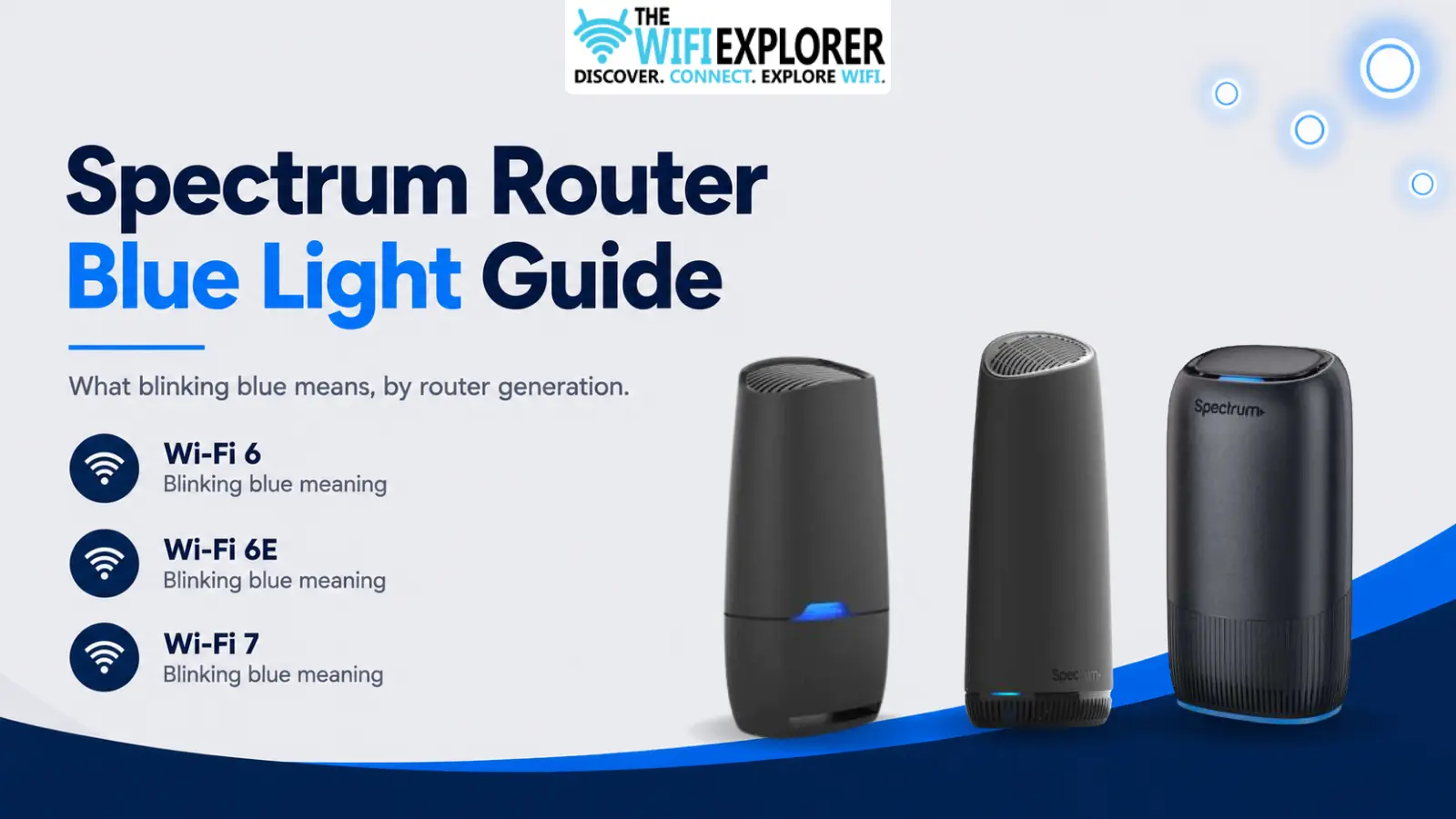
Blue is usually a good sign on a Spectrum router, but “usually” is doing some work in that sentence. Blinking blue can mean your router’s simply connecting, or it can mean it’s sitting in a pairing mode you didn’t ask for, and which one applies actually depends on your hardware more than people expect.
I covered this briefly in the general Spectrum lights guide, but blue deserves its own breakdown for the same reason red does: the meaning shifts across Spectrum’s router generations, and assuming your older router’s habits apply to a newer one can send you chasing the wrong fix.
Key Takeaways
- Blinking blue generally means the router is connecting, though on some models it can also mean pairing or setup mode.
- Wi-Fi 7 routers don’t have a WPS option at all, so blue there is strictly a connecting-state indicator, never a pairing signal.
- If it’s stuck blinking well past the normal startup window, a restart clears most cases.
- Don’t assume you’re mid-setup just because the light looks like it. Check the My Spectrum app before touching the reset button.
- This state doesn’t usually point to a serious problem, unlike red, but a light stuck here for a long time is still worth investigating.
Quick Reference by Model
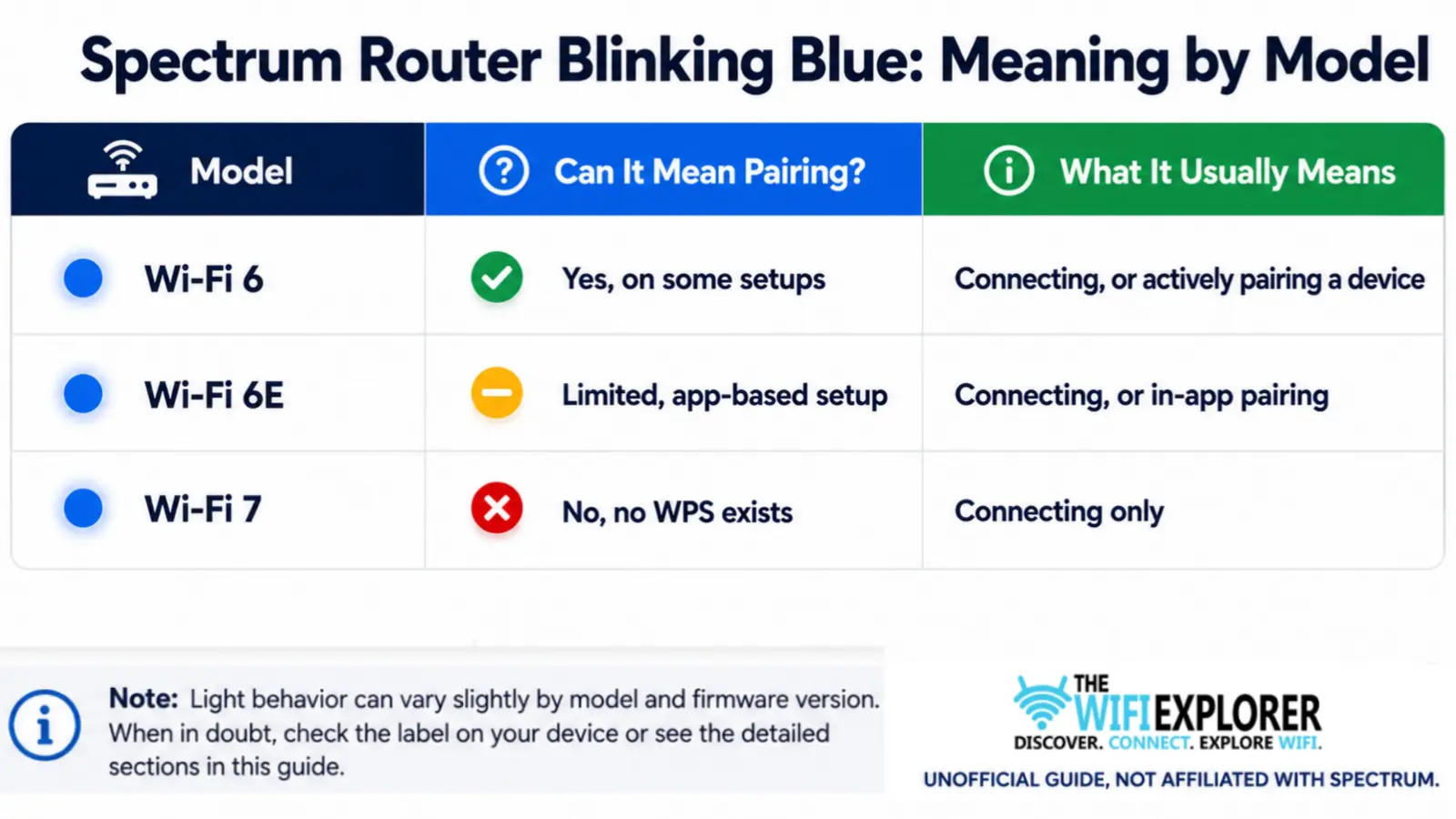
Not sure which router you have? Check the label on the unit itself, or look under the Wi-Fi section of the My Spectrum app.
Spectrum Router Blinking Blue
A blinking blue light on a Spectrum router typically means it’s in the process of connecting, either right after a restart or during setup. On some models, it can also indicate pairing mode, when the router’s actively trying to link up with a new device or complete a WPS-style handshake.
The tricky part is that not every Spectrum router treats blue the same way, so what looks identical on the outside can mean two different things depending on which one you own.
The breakdown below covers what to expect and how to fix it if the light won’t settle.
Wi-Fi 6 Router: Blinking Blue
What It Means
On the Wi-Fi 6 router, blinking blue shows up during the normal connecting phase, and it can also appear if the router’s been put into pairing mode, either intentionally through setup or accidentally by holding the reset button too long.
Why It Happens
- Normal startup or reboot, still establishing a connection
- Pairing mode triggered during initial setup
- The reset button held slightly too long, kicking the router into pairing instead of a full reset
- A brief loss of connection that’s since resolved itself
How to Fix It
Give it a few minutes first. If you just restarted the router, this is expected behavior, not a problem.
Check whether you’re actually in setup. If you’re not deliberately pairing anything and the light’s still blinking blue after several minutes, open the My Spectrum app and confirm there’s no pending setup process still active.
Restart if it’s stuck outside of setup. A clean power cycle, unplugged for 30-45 seconds, usually resolves a stuck blue light that isn’t tied to pairing.
Complete or restart the pairing process if that’s what triggered it. If you were setting something up and it got interrupted, redo the setup from the beginning in the app rather than trying to force it manually.
Wi-Fi 6E Router: Blinking Blue
What It Means
The Wi-Fi 6E router behaves similarly to the Wi-Fi 6 model for the connecting phase, but its pairing process leans more heavily on the My Spectrum app rather than a physical WPS-style button press.
Blinking blue here usually means either normal connecting or an in-progress app-based setup.
Why It Happens
- Standard startup or reconnection process
- An interrupted or incomplete setup session in the app
- A temporary connection drop that’s actively re-establishing
How to Fix It
Confirm setup status in the app first. Since pairing on this model is app-driven, the fastest way to know what’s happening is to check whether the My Spectrum app shows an active setup session.
Restart the setup process if it stalled. Rather than trying to manually force the router out of a pairing state, closing and restarting the setup flow in the app tends to be more reliable.
Power cycle if it’s not setup-related. Same as with the Wi-Fi 6 router, a full 30-45 second unplug clears most lingering cases.
Wi-Fi 7 Router: Blinking Blue
What It Means
This is the one worth remembering: Wi-Fi 7 routers don’t support WPS at all, so a blinking blue light here can only mean one thing: the router is connecting. There’s no pairing-mode interpretation to consider, which actually makes this model simpler to troubleshoot than the two older ones.
Why It Happens
- Fresh restart or power-on, working through the normal connection sequence
- A brief reconnection after a dropped signal
- An interrupted connection attempt that’s retrying
How to Fix It
Just wait it out first. Since there’s no pairing ambiguity on this model, a blinking blue light almost always resolves into solid blue within a few minutes on its own.
Restart if it doesn’t settle. If it’s still blinking well past the normal window, a proper power cycle is the next step; no need to worry about interrupting a pairing session, since that’s not what this light represents on this model.
Check your connections if restarting doesn’t help. A loose coax or Ethernet cable can keep the router cycling through connection attempts indefinitely.
General Troubleshooting Tips
- Know your model before assuming pairing mode. On a Wi-Fi 7 router, that assumption is simply wrong, and it can send you down the wrong troubleshooting path.
- Check the app before touching the reset button. It’s the easiest way to confirm whether you’re actually mid-setup.
- Give it real time before restarting. A few minutes of blinking blue is normal on any model.
- Don’t hold the reset button too long by accident. On models where blue can mean pairing, an overly long press is a common accidental trigger.
When to Contact Spectrum Support
If you’ve confirmed you’re not mid-setup, restarted the router properly, and checked your cable connections, and the light is still blinking blue well past a normal startup window, it’s worth reaching out to Spectrum Support. Have this ready:
- Your account information
- Your router model
- Whether you were intentionally setting up or pairing anything
- How long the light has been stuck
Final Words
Blinking blue is one of the more forgiving lights on a Spectrum router; most of the time it just means “hang on, I’m connecting.”
The one thing worth keeping straight is that pairing-mode interpretation only applies to some models, and if you’re on a Wi-Fi 7 router, you can rule that out entirely and focus on a simple connection issue instead.
Past that, a few minutes of patience and a proper restart clear the vast majority of stuck cases.
FAQ
Why is my Spectrum router blinking blue?
Usually it means the router is connecting. On older models, it can also mean pairing mode, either intentional or accidentally triggered by holding the reset button too long.
Does blinking blue mean WPS pairing on every Spectrum router?
No. Wi-Fi 7 routers don’t have a WPS option at all, so blue there strictly means connecting. Wi-Fi 6 and 6E can involve pairing, though 6E leans more on app-based setup than a physical WPS process.
How long should my Spectrum router blink blue before I worry?
A few minutes is normal, especially after a restart. If it’s still blinking after 10-15 minutes and you’re not actively setting anything up, a restart is the next step.
My Spectrum router is stuck blinking blue, and I wasn’t setting anything up. What do I do?
Check the My Spectrum app to rule out a stalled setup session, then power cycle the router. If it’s still stuck after that, check your cable connections.
Can I accidentally trigger pairing mode on my Spectrum router?
Yes, on models where blue can mean pairing, holding the reset button slightly too long can trigger pairing mode instead of a full reset. A quick restart usually clears it.